Most real analysis isn't one clever script — it's a small, boring pipeline you can rerun whenever the data changes: get data into a CSV, read and transform it with pandas, draw a chart. Build that loop once and updating an analysis becomes a single command. Here's the pattern, end to end. The full script is reproduced below.
The three stages
1. Produce a CSV. Your source can be anything — an API, a download, a hand-built sheet. Here we compute 2024 FBS win totals from public results and write them out:
import csv
with open("wins-2024.csv", "w", newline="") as f:
    w = csv.writer(f); w.writerow(["team", "wins", "losses"])
    for team, rec in records.items():
        w.writerow([team, rec["w"], rec["l"]])
2. Read & transform with pandas. This is where the leverage is — filtering, new columns, sorting, all declaratively:
import pandas as pd
df = pd.read_csv("wins-2024.csv")
df["games"]   = df.wins + df.losses
df = df[df.games >= 10]                 # full schedules only
df["win_pct"] = df.wins / df.games
top = df.sort_values(["wins", "win_pct"], ascending=False).head(12)
3. Chart it. Hand the transformed frame straight to matplotlib:
ax.barh(top["team"][::-1], top["wins"][::-1])
ax.set_xlabel("Wins")
The result
Top 12 by wins:
 ORE 13-0    SMU 11-2    PSU 11-2
BOIS 12-1   ARMY 11-2    ASU 11-2
  ND 11-1    UGA 11-2    OSU 10-2
  IU 11-1    TEX 11-2   TENN 10-2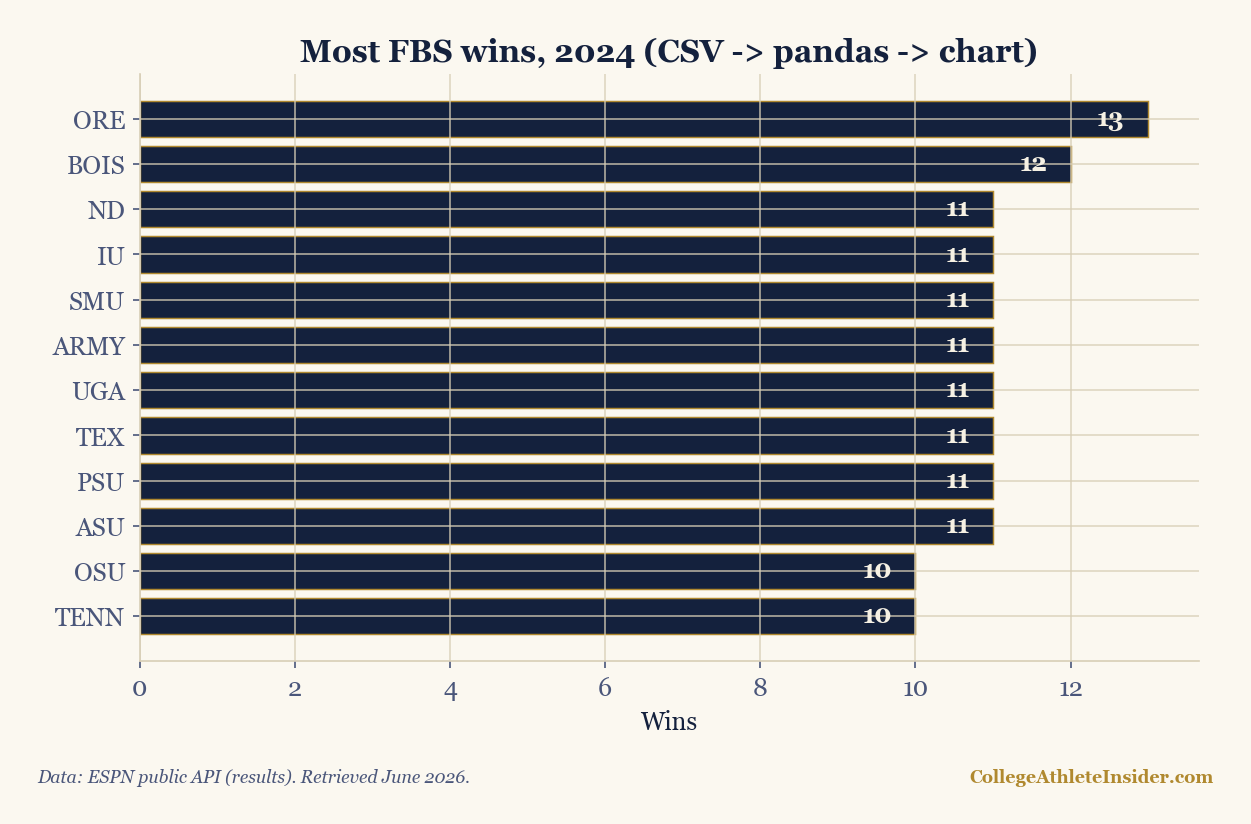
The output is unremarkable on purpose — that's the point. Once the three stages are wired together, the analysis is repeatable: next week, regenerate the CSV and rerun, and the chart updates with zero manual editing. Separating the stages (data → transform → display) is what lets you swap any one of them without breaking the others.
Why separate the stages
- The CSV is a checkpoint. You can inspect it, version it, or hand it to a non-coder. Bugs are easy to isolate to "before" or "after" the file.
- pandas is the right tool for the middle.
read_csv, filter,assign,groupby,sort_values— a handful of verbs cover most transforms. - Re-runnability beats cleverness. A pipeline you can rerun monthly is worth more than a brilliant one-off you can't reproduce.
Level up
- Parameterize the season (a command-line argument) so the same pipeline builds any year.
- Add a
groupby— e.g., average wins by conference — to go from a list to an insight. - Schedule it. A pipeline this clean is easy to run on a timer and publish to a static dashboard.
Sources & further reading
- pandas — pandas.pydata.org
- Companion script, kept in our build repository and not published:
scripts/csv-to-chart-pipeline-python.py - Related: Style the chart · Publish it as a dashboard
A publication-quality house style for matplotlib
This section was first published on June 4, 2026 as a separate article.
matplotlib's defaults are fine for a lab notebook and wrong for publication: gray background, cramped fonts, a box around every plot. The good news is you can fix all of it once, in a reusable "house style," and every chart you make afterward looks intentional. This is how every chart on this site gets its look. The full script is reproduced below (it uses the shared helper named in the sources below).
One function, applied once
matplotlib reads global settings from rcParams. Set them once at the top of your script and every subsequent figure inherits the style:
import matplotlib.pyplot as plt
NAVY, GOLD, PAPER, RULE, MUTED = "#14213d", "#b0892f", "#fbf8f0", "#d8ceb6", "#4a567a"

def apply_house_style():
    plt.rcParams.update({
        "figure.facecolor": PAPER, "axes.facecolor": PAPER, "savefig.facecolor": PAPER,
        "font.family": "serif", "axes.titleweight": "bold", "axes.titlesize": 15,
        "text.color": NAVY, "axes.labelcolor": NAVY, "axes.titlecolor": NAVY,
        "axes.edgecolor": RULE, "axes.grid": True, "grid.color": RULE, "grid.alpha": 0.8,
        "xtick.color": MUTED, "ytick.color": MUTED,
        "axes.spines.top": False, "axes.spines.right": False, "figure.dpi": 150,
})The finishing touch: a source caption
Credibility comes from sourcing. Stamp every chart with where the data came from and your wordmark — two fig.text calls:
fig.text(0.01, 0.01, "Sample data for illustration.", fontsize=8.5, color=MUTED, style="italic")
fig.text(0.99, 0.01, "CollegeAthleteInsider.com", ha="right", fontsize=8.5, color=GOLD, weight="bold")
The result
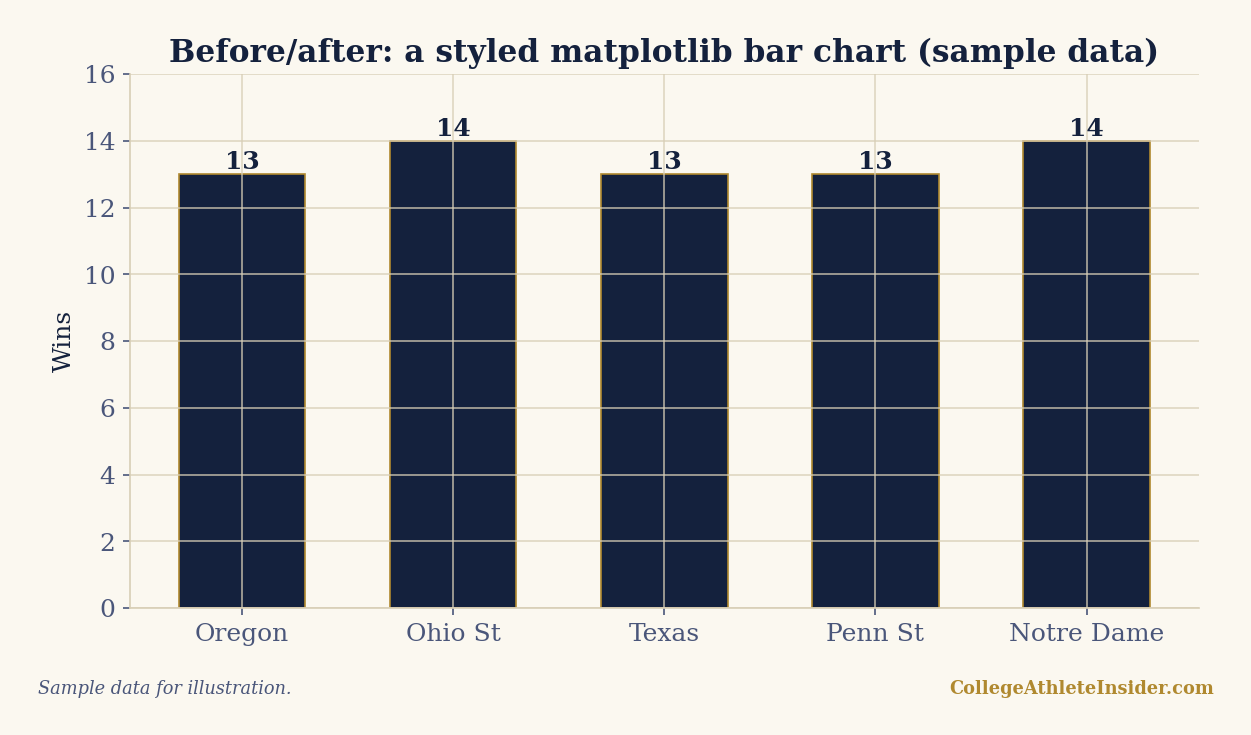
That's the entire difference between "a Python plot" and "a chart you'd publish." Nothing here is hard — it's a dictionary of settings and two text calls — but applied consistently across a whole site it reads as a deliberate, trustworthy visual identity. Every chart in our Elo, efficiency, and trend pieces uses exactly this approach via the shared _chartstyle.py helper.
Principles worth keeping
- Pick a small palette and reuse it. Two or three colors, used consistently, beats a rainbow.
- Remove chartjunk. Drop the top and right spines, lighten the grid, let the data breathe.
- Label directly where you can (numbers on bars) instead of making readers hunt the axis.
- Always cite. A chart without a source is an assertion; a chart with one is evidence.
- Centralize it. Put the style in one importable module so a tweak updates every chart at once.
Sources & further reading
- matplotlib — matplotlib.org
- Companion script, kept in our build repository and not published:
scripts/house-style-matplotlib-python.pyandscripts/_chartstyle.py - Related: From CSV to chart · Win-probability charts